
Reactor: TikTok LIVE alerts, goals and a chat voice on one link
Reactor is Devign's stream tools for TikTok LIVE. It puts your gifts, follows, likes and comments on screen, reads your chat out loud and lets a gift set something off, all through one link you paste into OBS or TikTok LIVE Studio.
It runs in the Devign launcher on your Windows PC and comes with the same subscription as Devign LIVE Games: free for creators in the Devign agency, and $4.99 a month for everyone else after a 7-day free trial.
One scene, built a tool at a time
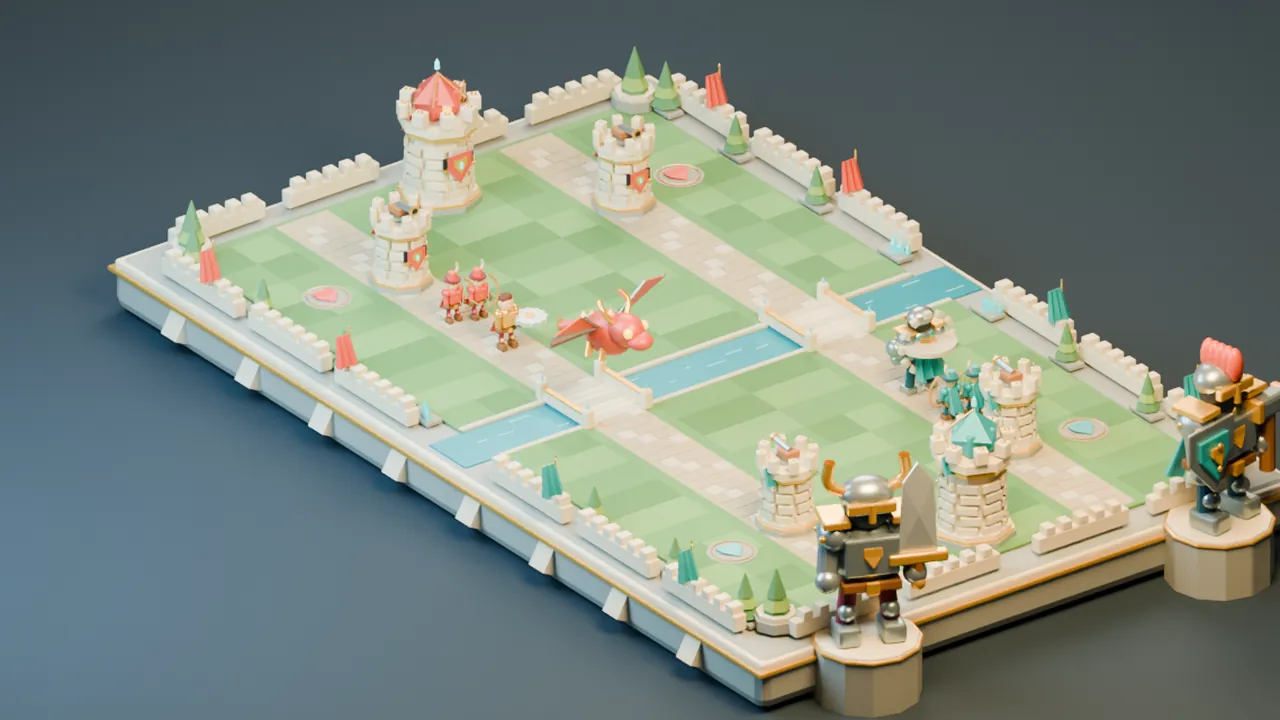
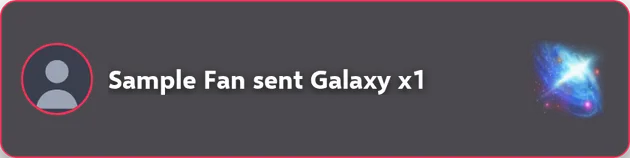
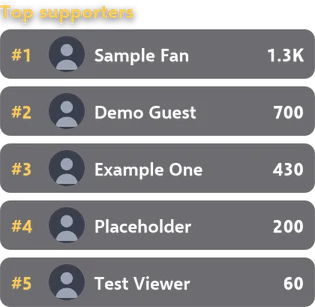
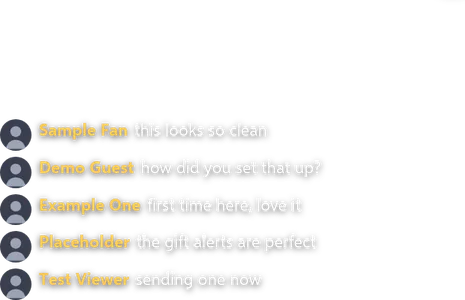
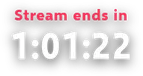
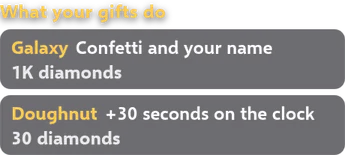
This is a real Reactor scene. Every layer was captured from the Devign bridge and placed over a frame of Rampart, one of the Devign LIVE games; the names are samples. Each tool below adds its layer.



Alerts that show the gift itself
When a viewer sends a gift, follows, shares, subscribes or likes, an alert puts their profile picture and name on screen, and for a gift, TikTok's own artwork for it. Like alerts wait until one viewer has sent 50 likes, so a tapping room does not flood the screen, and alerts queue instead of piling on top of each other. You choose from 9 entrance animations and 8 looks, add a sound if you want one, and write the text in English or Arabic.
Goals that raise themselves
A goal counts followers, likes, gift value, gifts, shares, subscriptions or comments toward a target. When the room reaches it, the goal celebrates and the target rises by the same amount again, so the bar is not sitting full for the rest of your stream. It can be drawn as a bar, a bar with a lit edge, ten segments or a dial.
Leaderboards for the people keeping you live
A live board ranks your top supporters by the value of their gifts, or ranks viewers by likes or by the number of gifts they sent. It shows from 1 to 10 rows with profile pictures and keeps its size while it fills, so nothing on your layout jumps.
Your chat, on screen and out loud
A chat box shows the latest comments with names and pictures. The voice reads comments out loud, and gifts too if you turn that on, with Microsoft's neural voices through the Devign bridge: no account, no key and no cost.
There are 20 voices: Saudi, Egyptian, Emirati, Lebanese and Iraqi Arabic, each as a man and a woman, Moroccan and Algerian Arabic, American and British English, French, Turkish and Indonesian. You set speed, pitch and volume. A comment with one of 188 blocked words in English, Arabic or Arabizi is not read; Arabizi, Arabic typed in Latin letters, is skipped rather than read as gibberish; comments that are only links or emoji are skipped; and one viewer is heard at most once every 8 seconds.
Actions: when this happens, do that
An action is a rule you write. The trigger can be a gift over a value you set, a gift by name, every 1,000 likes in the room or any number you choose, a follow, a share, a subscription, a word in chat, an emoji, a goal completed or a fan-club level.
What happens can be text on screen, a sound, a video, a picture, a full-screen celebration, a spoken line, time added to or taken off a countdown, a counter moved, a call to a web address, or a key pressed in the PC game you are playing. Your own sounds, videos and pictures can be up to 50 MB each and stay on your PC. Every rule has its own cooldown, so a gift streak does not restart a video twenty times.
Celebrations across the whole frame
Fireworks, hearts, confetti or coins, in four styles each, can fill the frame on anything an action can react to: confetti for a Galaxy, hearts every thousand likes. They play behind your alerts, so a celebration never covers the name of the person who caused it.
A gift guide your viewers can read
TikTok's gift panel shows a picture and a price, not what a gift does on your stream. The gift guide tells your viewers, and it is built from your own action rules, so it changes when your rules change and never advertises a gift that no longer does anything.
All of it is one link
Every layer above comes through a single link. In OBS it is one Browser source; in TikTok LIVE Studio it is one Web layer. You paste it once.
Make several scenes in the launcher, portrait 1080 by 1920, landscape 1920 by 1080 or 1280 by 720, and the same link follows whichever scene is active, without reloading and without you touching OBS.
Set it up in OBS or TikTok LIVE Studio
- Step 1
Install the launcher
The Devign launcher runs on Windows 10 (64-bit) or later. Sign in with your Devign account.
- Step 2
Open Reactor
It is in the launcher's sidebar. Type your TikTok @username; creators in the Devign agency have it filled in. You can set up before you go live: Reactor waits for your LIVE to start.
- Step 3
Arrange your scene
Start from a preset or the default scene, pick the canvas size and drag each widget where you want it. What you place is what your viewers see.
- Step 4
Paste the link
Copy the link. In OBS add a Browser source, in TikTok LIVE Studio a Web layer, paste it in and set the size to your canvas, 1080 by 1920 by default. The launcher tells you when the overlay has appeared.
If LIVE Studio goes quiet
LIVE Studio stops playing sound on a link source after you go live or change scene. Hide the source and show it again and the sound comes back. OBS is not affected.
The link points at your own PC. If an app refuses it, the launcher offers a second form that works with no internet connection at all, and a switch that lets OBS on another computer in your network show the overlay.
Test it before anyone is watching
Every action has a Test button, and so do gifts, follows, likes, comments and the voice. A rehearsal runs 90 seconds of realistic sample traffic through the rules you saved, then gives every rule the room never reached the exact event its trigger needs, so a rule that is rarely reached is told apart from one that cannot fire.
Presets set up a working stream in one click: First Stream, Gift War, PK Battle, Boss Fight, Just Chatting, Singing and Chat Controls Me, plus key-press packs for Minecraft, GTA V, Fortnite and racing games. Change anything afterwards.
Where it runs
Reactor runs on your PC, not on a Devign server. The Devign bridge, started by the launcher, connects to your TikTok LIVE and draws the overlay on your machine, so nothing sits between a gift and its alert. It stops when you close the launcher, unless you set the launcher to close to the tray.
Events can also leave your PC when you want them to: an action can call any web address with a message you write, which is how an event reaches a Discord channel webhook or IFTTT, and a read-only event feed, off until you switch it on and protected by its own key, lets your own tools follow the room.
The launcher is in English, Arabic, Turkish, Spanish, Russian and Portuguese. Text on the overlay itself is in English or Arabic, and Arabic is laid out right to left.
What it costs
for creators in the Devign agency. Join the agency.
for everyone else, after a 7-day free trial; cancel anytime and keep access to the end of the month you paid for. The same subscription unlocks every Devign LIVE game.
Questions creators ask
- What is Reactor?
- Reactor is Devign's stream tools for TikTok LIVE creators: alerts, goals, leaderboards, a chat box, a voice that reads chat out loud, actions triggered by gifts, likes and comments, full-screen celebrations and a gift guide, all on one overlay link for OBS or TikTok LIVE Studio. It runs in the Devign launcher on Windows.
- Does Reactor work with OBS and TikTok LIVE Studio?
- Yes. Add the link as a Browser source in OBS or as a Web layer in TikTok LIVE Studio and set it to the size of your canvas. One link carries every widget and follows whichever scene is active.
- Is the chat voice free?
- Yes. It uses Microsoft's neural voices through the Devign bridge with no account, key or extra cost. There are 20 voices, including Saudi, Egyptian, Emirati, Lebanese and Iraqi Arabic in a male and a female voice each.
- Do I have to stream a Devign game to use Reactor?
- No. The overlay works on any stream, a Devign game, another PC game or just chatting, and actions can press keys in the PC game you are playing.
- Do my viewers need to install anything?
- No. Viewers watch and interact in the TikTok app as usual. Only the creator installs the Devign launcher.
- How much does Reactor cost?
- Reactor is included in the Devign subscription with every Devign LIVE game: free for creators in the Devign agency, and $4.99 a month for everyone else after a 7-day free trial, cancel anytime.
- Who makes Reactor?
- Devign LLC, a company registered in Wyoming, USA, with its team in Lebanon. Reactor is not affiliated with, endorsed by or sponsored by TikTok.