Alerts, goals, leaderboards and a voice for your chat
On your stream, from your own machine.
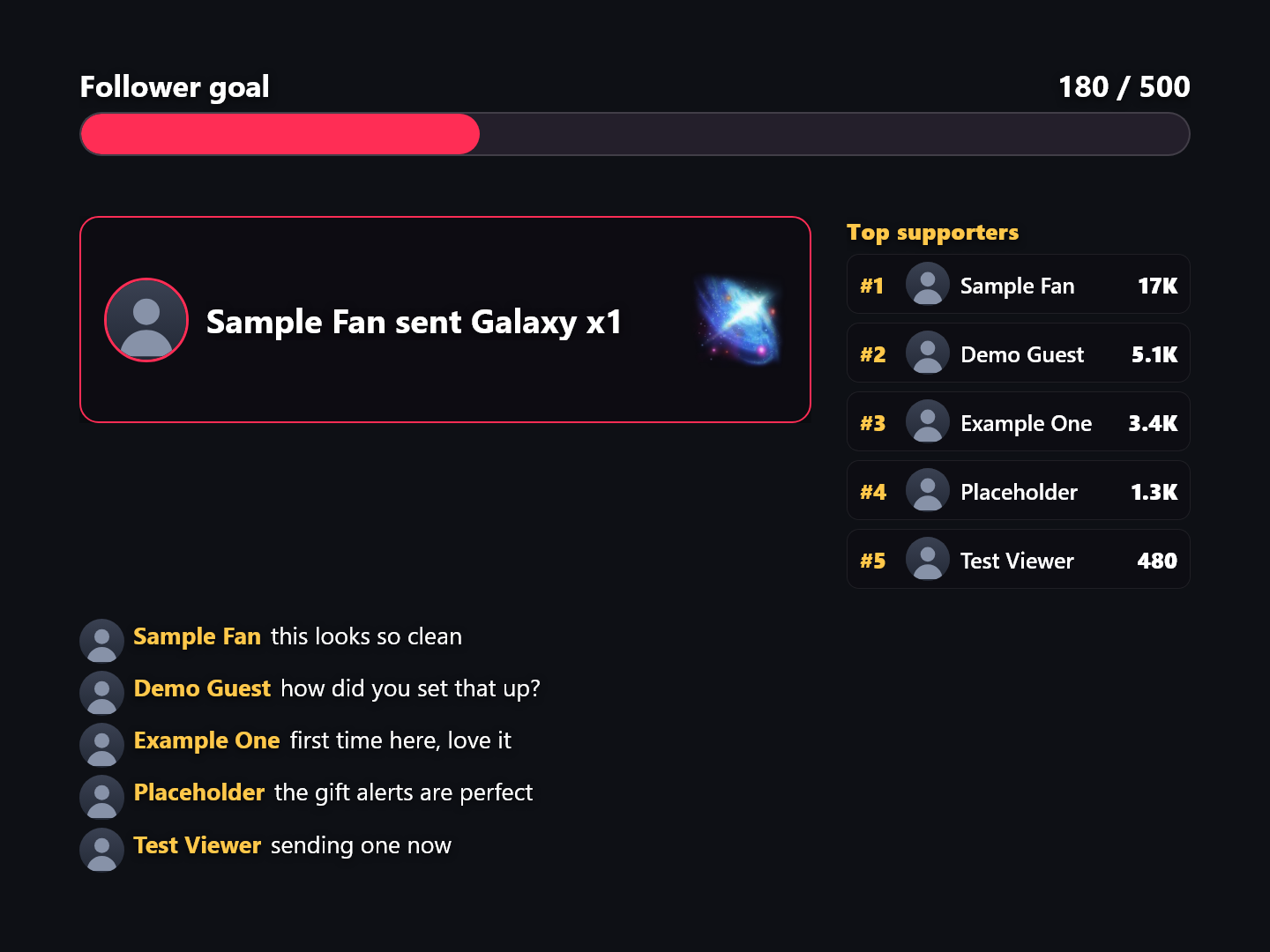
Devign is not just games any more. Reactor, Devign's stream tools, puts your gifts, followers and comments on screen: gift alerts carrying the real gift artwork, goals that raise themselves, live top-supporter boards, and a voice that reads your chat out loud in real Saudi, Egyptian, Emirati, Lebanese and Iraqi Arabic. You arrange it all on one canvas and paste a single link into OBS or TikTok LIVE Studio.
Included in your Devign subscription: the same one that unlocks the games.
What it puts on your stream
Gifts
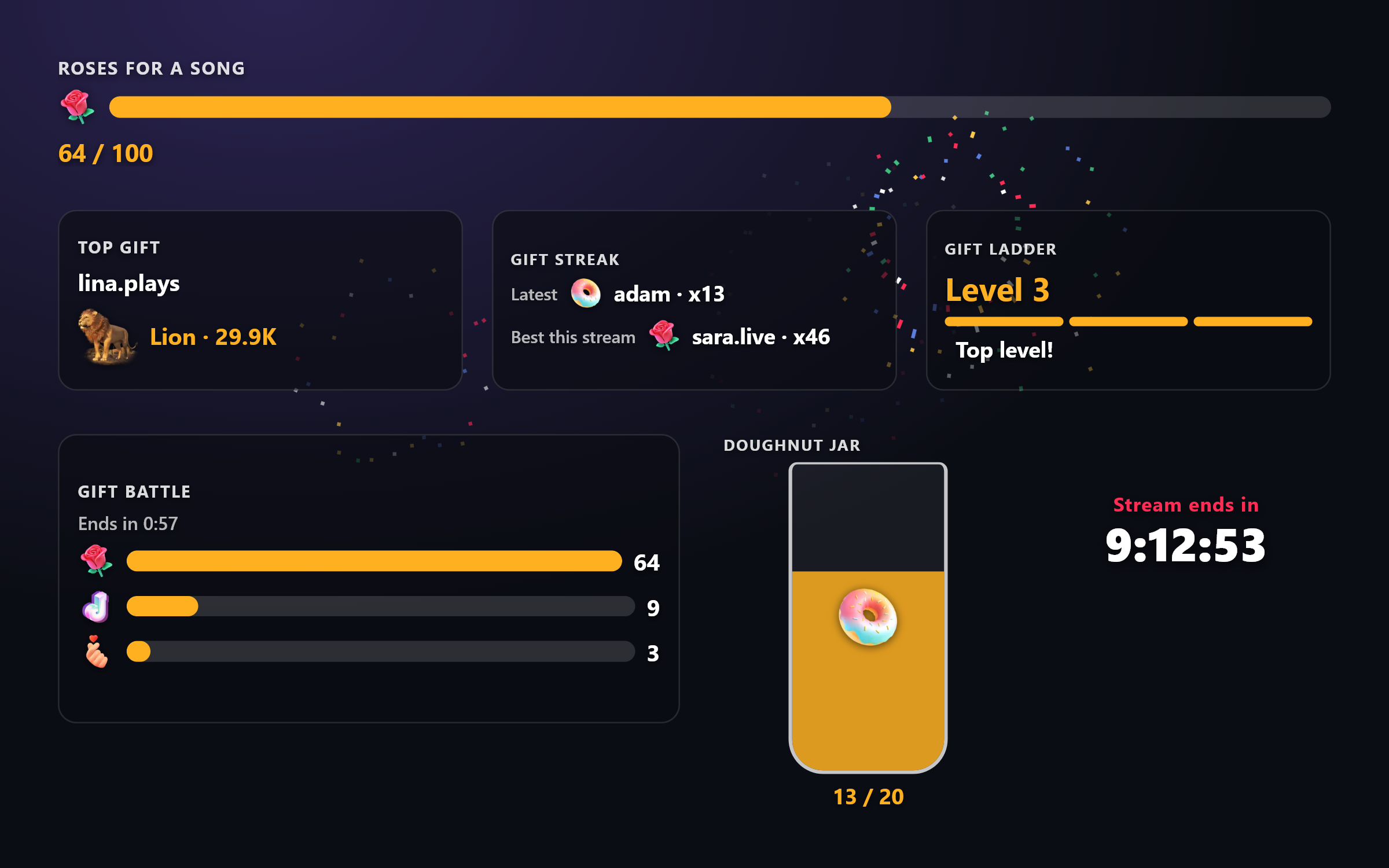
Gift goals for one gift by name, drawn as a bar, a ring, a jar that fills or a balloon that inflates
Top gift and gift streak: the biggest gift so far and the longest combo, with who sent them
A gift ladder: each level unlocks with the next gift in the order you set
Gift battles: two to ten gifts race against a round clock, and the count wins, not the coins
A gift slider: a moving strip of your gifts and what each one does, lighting up when that gift arrives
A gift gallery: every gift with its picture and price, to point your room at the one you want
Reactions
Gift, follow, like, share and subscribe alerts, with the sender's picture and the gift's own artwork
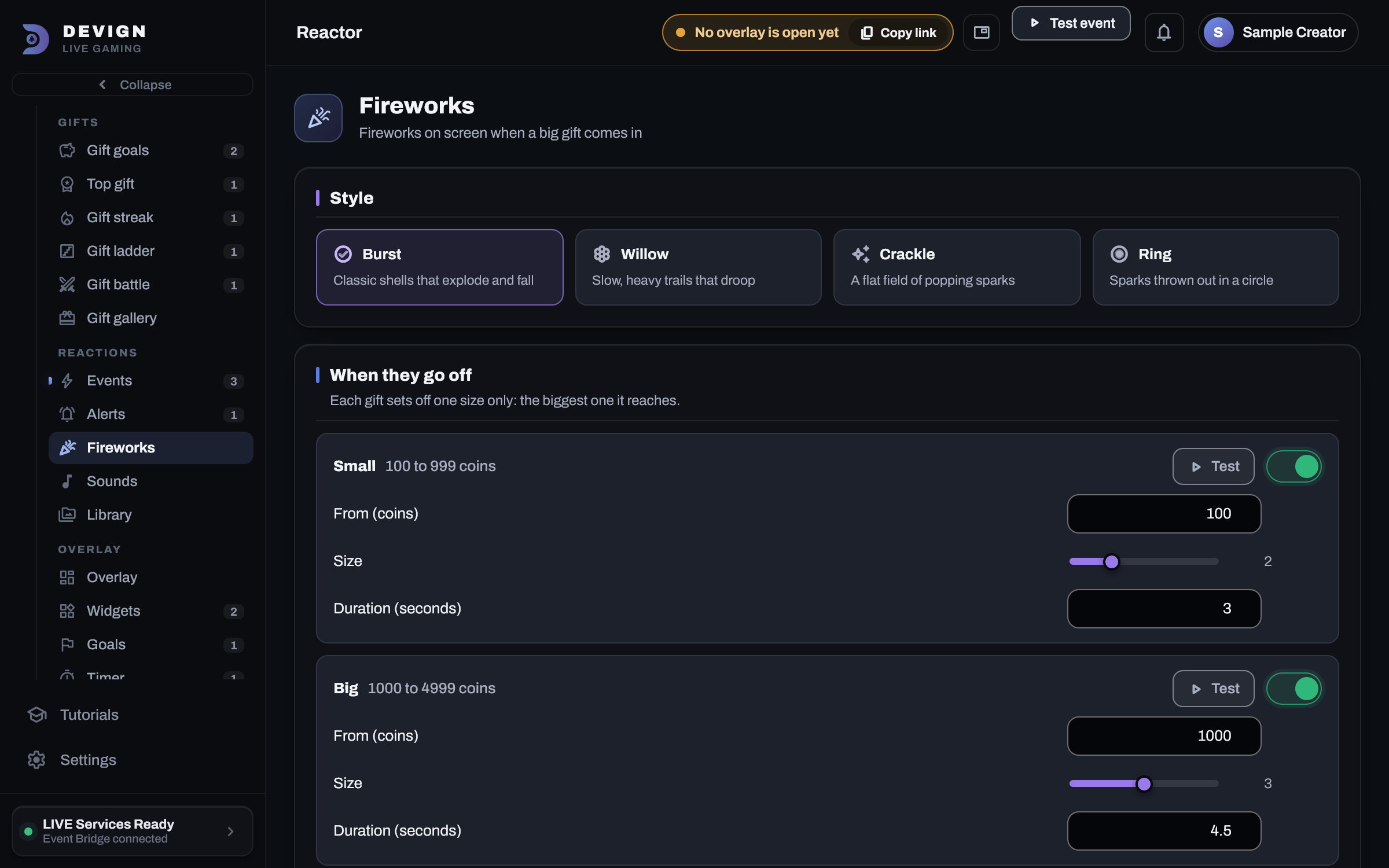
Actions: pick when (a gift over a set number of coins, a gift by name, every 1000 likes, a keyword, a VIP walking in) and what happens (a sound, a video, a picture, an on-screen message, fireworks, a spoken line)
A sound for any gift, picked by the gift's own picture
Full-screen celebrations: fireworks, hearts, confetti or coins on any event you choose
Screen effects: each gift's picture rains down, likes send hearts up, and a big combo counter climbs with every repeat
A gift can press a key in the game you are playing: your room plays along, in any PC game
Overlay
Goals for followers, likes or gift coins that raise themselves instead of sitting full all stream
Countdowns your viewers extend with gifts, and counters they move
Live top-supporter and top-liker boards
End credits that roll your top supporters and new followers when the stream ends
A custom layer: your own pictures, videos and text with live numbers, a background, and saved layouts
Your own sounds, videos and pictures, up to 50 MB each, kept on your machine
One link for the whole overlay, not one per widget
Several scenes, switched from the launcher: OBS follows without you touching it
Chat & voice
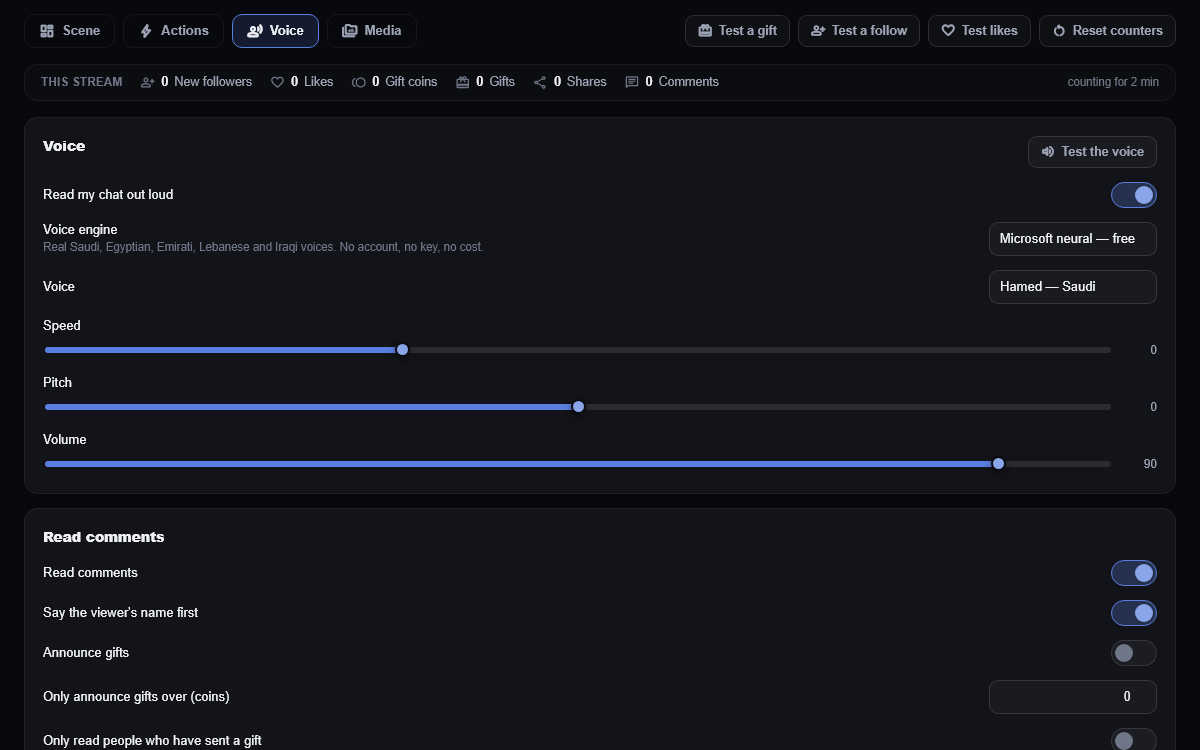
Your chat read out loud, in real Arabic and English neural voices: free, and with no extra account
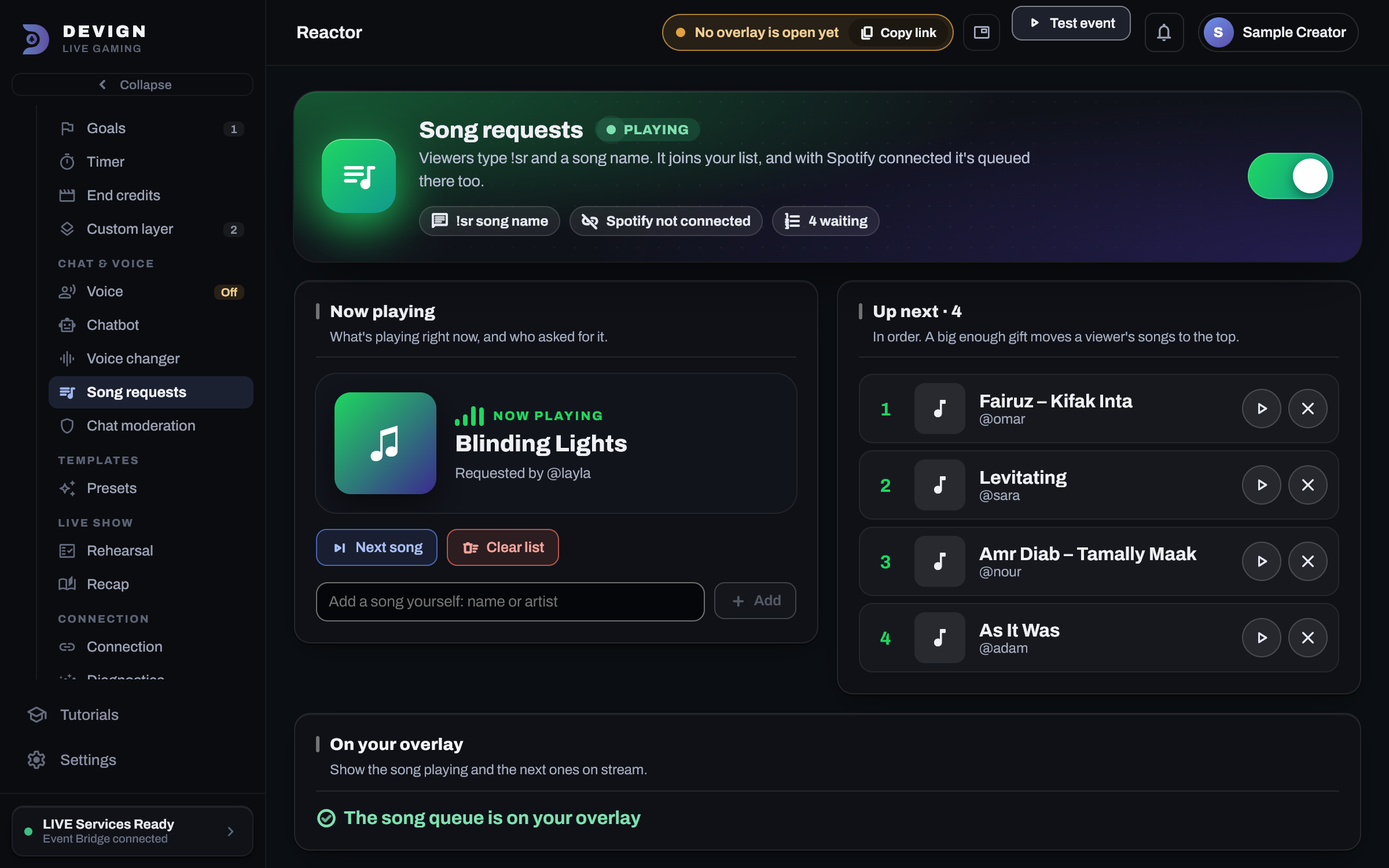
Song requests: viewers type !sr and a song, it joins your list and, with Spotify connected, your Spotify queue, with limits and gift priority
A chatbot from a TikTok account of yours: commands, timed messages, welcomes, thank-yous, and auto-mod that mutes or bans
A voice changer: a gift turns your voice into a chipmunk, a robot or a monster for a few seconds
A chat reader you can leave on in front of a room: 188 blocked words in English, Arabic and Arabizi
Arabic and English, right-to-left throughout
Templates
A setup guide: say what kind of stream you do and Reactor lays out the overlay for you
Presets: working setups applied in one click, including packs shaped for Minecraft, GTA V, Fortnite and racing games, then changed however you like
Going live
A rehearsal: ninety seconds of invented but realistic traffic through your real rules, then every rule that stayed quiet is handed its own trigger, so you find out what is broken before a room is watching
Send any event to Discord, IFTTT or your own smart devices
A read-only feed of your room's events, for Streamer.bot or anything you build
What Reactor does that is worth knowing
One browser source for the whole overlay
Reactor gives you a single link covering every widget, and it follows whichever scene you have selected: so a gaming scene and a just-chatting scene are one source in OBS, not two. This matters most in TikTok LIVE Studio, whose built-in browser slows down with several sources.
One subscription, games and tools
The same monthly subscription that unlocks every Devign game unlocks Reactor as well, at no extra cost. Devign agency creators get both free.
Built for Arabic, not translated into it
The chat voice reads real Saudi, Egyptian, Emirati, Lebanese and Iraqi dialects, every screen is right-to-left, and the reader skips Arabizi, "kifak 3am ta3mel", instead of sounding it out.
It runs on your machine
Not a hosted service. The overlay is drawn by the Devign bridge on your own PC, so nothing sits between a gift landing and the alert firing: and with "Close to the tray" switched on in Settings it keeps running while the launcher window is closed.
You can test it before you go live
Rehearsal pushes ninety seconds of realistically-shaped traffic through the rules you actually saved, then hands every rule the room never reached the exact event its trigger asks for. That tells apart a rule that works but is rarely reached from a rule that cannot fire at all. What it will not claim is that a keystroke landed in your game. It sends the effect; it does not watch it arrive, and it says so.
What setting it up looks like
Every Reactor screen in one sidebar, grouped the way you think about your stream: gifts, reactions, overlay, chat and voice.Gift goals, the top gift, the longest streak, a gift ladder, a gift battle and a timer the room extends, all moved by real gifts.Song requests: what's playing with its cover, the list your room built, and Spotify one connect away.Pick a voice, set its speed, and choose what gets read out. Saudi, Egyptian, Emirati, Lebanese and Iraqi: free, no account, no key.
It is in the launcher you already have
Open Reactor from the launcher's sidebar. Sign in once and set it up there.